
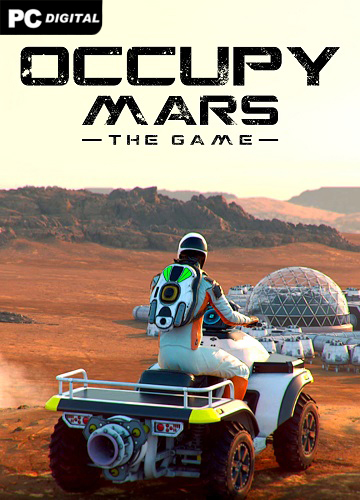
Name: Occupy Mars: The Game
Release date: January 30, 2026
Genre: Simulation, Open World
Developer: Pyramid Games
Publisher: Pyramid Games, PlayWay SA
Platform: PC
Publication type: Pirate
Version: 1.0.1
Interface language: Russian, Ukrainian, English, Multi14
Voice language: English
Tablet: Sewn in (RUNE)
Description: Occupy Mars is a high-tech, open world, sandbox game about the colonization of Mars. Build and upgrade your base, discover amazing new regions, carry out mining operations, extract water and generate oxygen, grow crops, fix broken parts, learn to survive on Mars!
Have you ever dreamed of visiting Mars? We’ve always done it this way! There are so many things to see and discover on the Red Planet, so many exciting technologies to be created, so many challenges to overcome! Humanity can do this and become a multi-planetary civilization!
Build and upgrade your base, make sure you have enough water, oxygen, energy and food to survive. Build greenhouses, oxygen tanks, fuel generators, connect all pipes and cables, remember proper cable management.
Fix broken parts using realistic electronic components and tools. Learn the basics of SMD, soldering, hot air, electronic measurement and all the parts needed to fix your equipment. Explore different regions of Mars in search of valuable resources, discover mining sites and find the best place to build a city. Remember that you need to find a relatively level area with good access to underground water in a place where the temperature does not drop too low during the night.
System Requirements:
OS: Windows 10 (64-bit)
Processor: Intel Core i5-6400 / AMD Ryzen 5 1500X
RAM: 8 GB RAM
Video card: RX 570 4GB VRAM / GeForce GTX 970 4GB VRAM
DirectX: versions 11
Disk space: 15 GB
Starting the game:
1. Download to any location on your disk (the main thing is that there is no Cyrillic alphabet on the path to the game folder)
2. Launch the game from the OccupyMars.exe file in the main game directory
Changing the language along the path ..OccupyMars_Data\Plugins\x86_64 in the steam_emu.ini file change the line Language=english to Language=russian (do not forget to save the file after changing)