
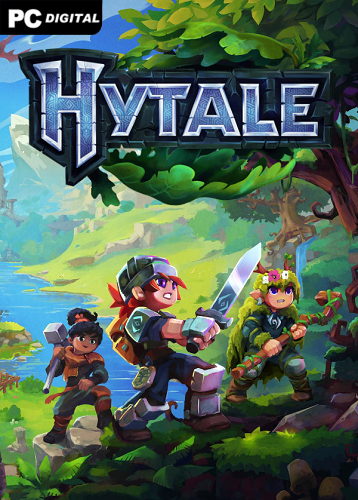
Name: Hytale
Release date: early access from January 13, 2026
Genre: Action, Adventure, Open World
Developer: Hypixel Studios
Publisher: Hypixel Studios
Platform: PC
Publication type: Pirate
Version: Early Access v2026.01.17-4b0f30090
Interface language: English
Voice language: None
Tablet: Not required
Description: Hytale is a living, breathing universe where sandbox meets deep role-playing and endless creativity. The procedurally generated world of Orbis awaits you – with lush flora, mysterious ruins, boiling lava flows and caves hiding ancient secrets. Here you can build castles, explore dungeons, fight monsters or become a master craftsman – the choice is entirely yours. The game gives you freedom: whether it’s a solo adventure or a co-op with friends, everyone will find their place.
Particular attention is paid to world generation – the new V2 system opens up unprecedented possibilities. Through special portals, already at the start you can look into fragments of the future: more complex biomes, intelligent placement of objects (for example, ash trees above caves) and real time for reloading changes in the node editor. This is not just “prettier” – it is a fundamentally new level of control for creators. Even without programming knowledge, you can customize landscapes, design worlds, and share them with the community.
Developers from Hypixel Studios, known for the Minecraft server of the same name, are again setting the bar higher. Hytale is not just an alternative, but an evolution of the genre: here you can build, fight, make movies and run your own servers. The world lives, changes and waits for those who are ready to create it.
System Requirements:
OS: Windows 10
Processor: Intel Core i5-7500 / AMD Ryzen 3 1200
RAM: 8 GB RAM
Video card: Intel UHD Graphics 620 / AMD Radeon Vega 6 / NVIDIA GTX 900 Series / AMD Radeon 400 Series / Intel Arc A-Series, DirectX 12
Disk space (SSD): 4 GB
Starting the game:
1. Download and unpack to any location on your disk (the main thing is that there is no Cyrillic alphabet on the path to the game folder)
2. Launch the game from the Launcher.bat file in the main game directory
To change the game nickname, open the Launcher.bat file with notepad and edit the line set “PLAYER_NAME=%USERNAME%”, where instead of %USERNAME% you need to specify the desired nickname.
As a result, the line should look like this: set “PLAYER_NAME=YourNickName”. Don’t forget to save the file after changing.