
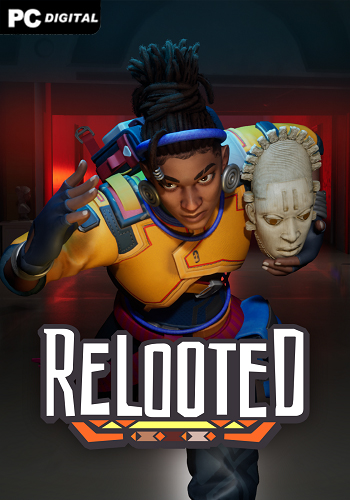
Name: Relooted
Release date: February 10, 2026
Genre: Adventure
Developer: Nyamakop
Publisher: Nyamakop
Platform: PC
Publication type: License
Interface language: English, French
Voice language: English
Tablet: Present (RUNE)
Description: Relooted is a puzzle runner where you play as Nomali, a parkour artist and the daughter of an African family determined to return stolen artifacts from Western museums. The action takes place in the near future: a repatriation agreement has been formally concluded, but the museums are simply hiding treasures in warehouses. You are part of a team that takes matters into its own hands. Every artifact in the game is real, each has a history, cultural value and place of origin. This is not just loot, but the restoration of justice, one secret penetration after another.
Before each raid, you scout the museum using a drone: studying the layout, marking laser systems, robot guards and possible escape routes. Then, the preparation phase: move tables to open doors, place allies on platforms, hack cameras. Each team member has his own role: someone opens safes, someone helps to cross the abyss. All this is a proactive puzzle, where it is important not only to steal, but also to survive. And when the siren sounds, the heat begins: Nomali rushes to the exit, overcoming obstacles in a fast parkour sprint mode under pressure from pursuing drones.
The game combines intense planning and escape, but does it with character: a vibrant Afrofuturistic style, lively dialogue, an urban base in Johannesburg, full of flavor. Yes, the mechanics are repetitive at times, but the goal is above entertainment. Relooted doesn’t just offer you the opportunity to play as a thief. It makes you feel what it means to return what rightfully belongs to the people.
System Requirements:
OS: Windows 10 (64-bit)
Processor: Processor with 2.5GHZ
RAM: 12 GB RAM
Video card: NVIDIA GTX 1060 6GB / AMD RX 580 8GB
DirectX: versions 12
Disk space: 20 GB
Installation:
1. Mount the image
2. Install
3. Copy the tablet from the RUNE folder (on the image) to the folder where the game is installed
4. Play