
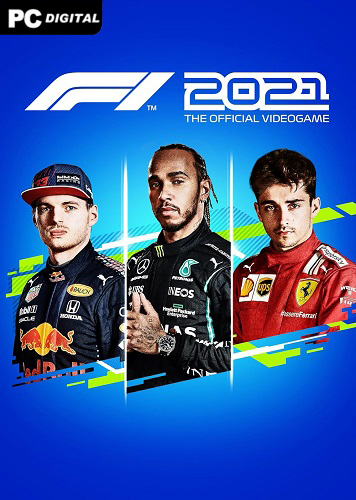
Name: F1 2021
Release date: July 15, 2021
Genre: Racing, Sport, Simulation
Developer: Codemasters
Publisher: Electronic Arts
Platform: PC
Publication type: License
Interface language: Russian, English, Multi11
Voice language: English, Multi9
Tablet: Present (VOICES38)
Description: F1 2021 is a new sports racing simulator dedicated to Formula 1 and specifically the 2021 World Championship. You will find painfully familiar racers, a sea of races, unreal speed and much more… Well, first of all, it would be worth mentioning the realism of everything that is in the game. The graphics and level of realism exceed all expectations. Moreover, the developers paid a lot of attention not only to the races themselves, but also to management and everything that happens outside the track.
In general, everything is simple. The game offers you to become a full-fledged participant in the 2021 F1 racing championship, immerse yourself in a series of racing events, select drivers and pilots, and more. Moreover, there are far more than one game modes here. For example, you can play through a typical racing story campaign, or you can even take part in split-screen racing with a friend, or play the “My Team” mode.
By the way, in the “My Team” mode you will find an incredible number of innovations and updated mechanics. You will be able to do development, devote maximum time to pilot training, and do much, much more.
Otherwise, the new game is the same simulator, with a huge number of game settings, many modes, updated graphics, and much more. Create your team, hire pilots, take part in racing events and take part in the championship, and try, no matter the cost, to become the new champion.
System Requirements:
OS: Windows 10 (64-bit)
Processor: Intel Core i3-2130 or AMD FX 4300
RAM: 8 GB RAM
Video card: NVIDIA GTX 950 or AMD R9 280 | For Ray Tracing: GeForce RTX 2060 or Radeon RX 6700 XT
DirectX: versions 12
Disk space: 80 GB
Installation:
1. Mount the image
2. Install
3. Copy the tablet from the VOICES38 folder (on the image) to the folder where the game is installed
4. Play
Changing the language along the path …/steam_settings/configs.user.ini, find the line language=english and change to language=russian or another language, save and close