
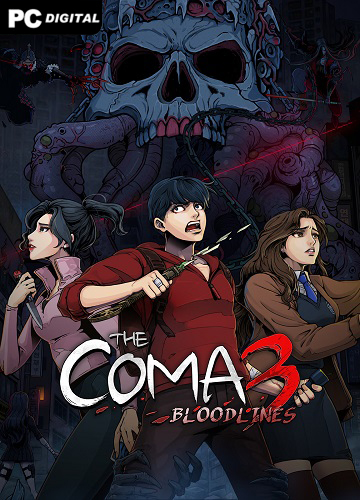
Name: The Coma 3: Bloodlines
Release date: April 30, 2026
Genre: Survival horror, Adventure
Developer: Dvora Studio Co., Ltd.
Publisher: Headup, Thermite Games
Platform: PC
Publication type: License
Version: 1.031
Interface language: Russian, Ukrainian, English, Multi11
Voice language: Korean
Tablet: Not required (DRM-Free by GOG)
Description: The Coma 3: Bloodlines is a 2D horror game where you find yourself in a real nightmare called The Coma. Ordinary life in Seoul comes to an abrupt end, and you find yourself in a dark world where urban legends and old curses come true. Now you have to play for three different characters at once. Each of them sees this world in their own way, each has their own skills and their own weaknesses. You have to constantly run, hide in cramped rooms and corridors, look for useful things and try to figure out how to get out of this hell.
The game doesn’t let you relax even for a second. Shadow monsters and creepy dolls haunt you, and sometimes the only way to survive is to lie low and wait for the danger to pass by. One character has more chances in battle, another is better at hiding, and a third moves faster. You need to explore new locations, collect clues and gradually uncover the dark secret that connects all three. The atmosphere is thick, oppressive, with a constant feeling that there is someone behind you.
System Requirements:
OS: Windows XP, 7, 8.1, 10 (64-bit)
Processor: Core2Duo
RAM: 3 GB RAM
Video card: Any with hardware 3D acceleration
DirectX: version 7.0
Disk space: 10 GB
Additions:
The Coma 3: Bloodlines – Artbook
The Coma 3: Bloodlines – Original Soundtrack
The Coma 3: Bloodlines – Autumn Girl Skin
The Coma 3: Bloodlines – Daughter of a Millionaire Skin
The Coma 3: Bloodlines – Gangster Shaman Girl Skin
The Coma 3: Bloodlines – Ghost Agent No. 3 Skin
The Coma 3: Bloodlines – Nightmare Slayer Skin
The Coma 3: Bloodlines – Overaction Skin
The Coma 3: Bloodlines – Overly Attractive Teacher Skin
The Coma 3: Bloodlines – Sehwa Arts High School Skin
Installation procedure:
Run the installer, follow the installer instructions
Install the desired DLCs
Launch the game, play